Custom CRM Software Development
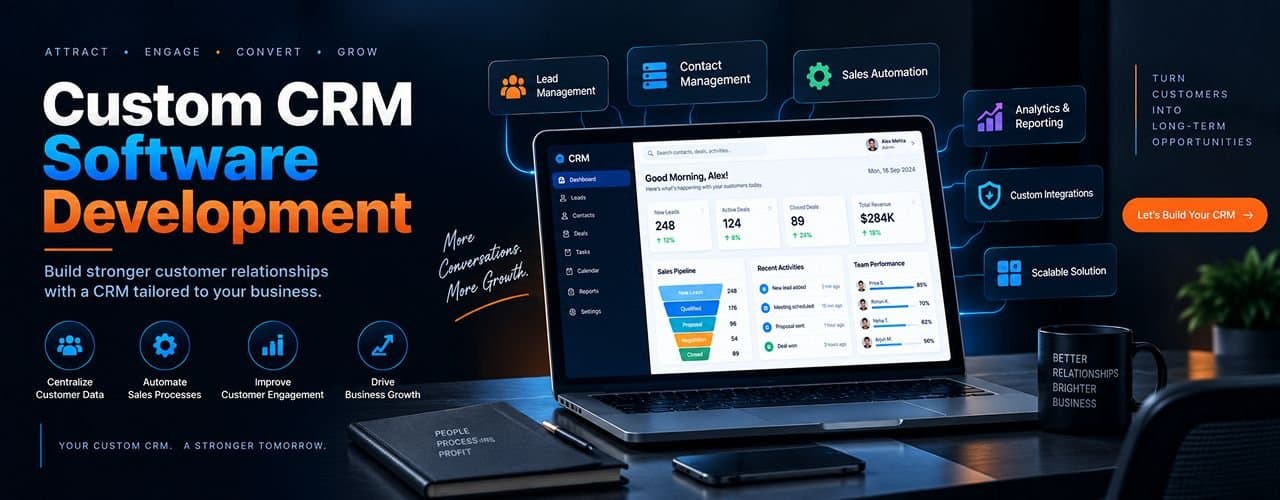
Custom CRM Software Development: Create Your Own CRM
Managing customer data using spreadsheets, unconnected programs, and generic systems can make things more difficult than they need to be. Custom CRM Software Development offers a system based on your work flow, team, and organizational objectives rather than trying to fit them into an existing platform.
What is Custom CRM Software?
Custom CRM software development is the process of designing and building a customer relationship management system specifically for an organization. It can reflect your sales cycles, customer experience, approvals, reporting, and integration.
Basically, the custom CRM meaning is a CRM created based on the way your business works. The goal is to create a system that will help your employees manage their customers and activities.
Why Do Businesses Choose Custom CRM Software?
Businesses often consider custom CRM software when existing platforms are too generic or difficult to adapt. A customized solution will benefit the company in many ways; one reason why custom CRM development is good is:
- Match CRM workflows to actual business processes
- Keep customer and lead information organized
- Automate repetitive sales and follow-up tasks
- Scale functionality as requirements change
What Features Should a Custom CRM Include?
A good CRM system must be effective first and foremost. Additional functionalities may add unnecessary complexity. Thus, any CRM application development process must be based on user requirements and objectives.
The right feature set depends on the business model, but a practical CRM commonly includes:
- Sales pipeline: Track opportunities through defined stages and assign ownership.
- Contact and lead management: Store customer details, interactions, lead sources, and status in one place.
- Task and activity management: Handle appointments, reminders, calls, and follow-ups.
- Automation: Create workflows based on pre-defined rules to automate repetitive tasks.
- Reporting and dashboards: Give managers visibility into sales activity, conversions, customer trends, and team performance.
- "Integrations: Connect email, marketing, accounting, communication, ERP, payment, or other business tools where needed.
- Mobile access: Offer access for your remote sales/service teams.
How Does Custom CRM Development Work?
This keeps development aligned with business outcomes and avoids unnecessary functionality.
A successful CRM project starts with business requirements rather than code. A typical process includes:
- Discovery: Identify users, workflows, pain points, integrations, and measurable goals.
- Planning: Define scope, architecture, technology approach, milestones, and priorities.
- UX and UI design: Create intuitive screens and workflows for daily users.
- Development: Build the frontend, backend, database, APIs, automation, and integrations.
- Testing: Check functionality, usability, security, performance, and integrations.
- Deployment: Launch the system and migrate required data in a controlled manner.
- Support and improvement: Fix issues and introduce improvements as business needs evolve.
Custom CRM vs Off-the-Shelf CRM: Which Is Better?
If processes are relatively standard and speed matters most, an off-the-shelf product may be practical. Otherwise, with specialized workflows, intensive integration, or critical competitive advantage, custom CRM systems can be developed on a custom basis.
Neither option is automatically better; the choice depends on business needs.
- Custom CRM built around specific workflows and Off-the-Shelf CRM Uses predefined workflows
- Custom CRM Greater has control over features and integrations and Off-the-Shelf CRM is faster to start
- Custom CRM can support specialized processes and Off-the-Shelf CRM has broad standard functionality
- Custom CRM can evolve with business requirements and Off-the-Shelf CRM may require workarounds
- Custom CRM requires greater initial development effort and Off-the-Shelf CRM often uses subscription pricing
Why Choose Centrelocus for Custom CRM Software Development?
Choosing the right technology partner matters as much as choosing the CRM approach. Centrelocus focuses on building software around business requirements, with an emphasis on scalable architecture, secure development, automation, and maintainability. Its software development capabilities include custom software solutions, CRM platforms, integrations, and scalable web applications.
For businesses evaluating Custom CRM software development services, the focus should be on more than feature delivery. Centrelocus highlights CRM capabilities including sales pipeline automation, contact and lead management, marketing campaign integration, and analytics and reporting dashboards.
FAQs
1. What is custom CRM development?
Custom CRM development means building a CRM specifically around a business’s workflows, customer processes, integrations, and reporting needs.
2. What Is the difference between custom CRM and standard CRM?
A custom CRM is designed for specific business requirements, while a standard CRM provides predefined features and workflows for a broad range of users.
3. How long does it take to develop a CRM?
The timeline depends on scope, integrations, design, features, testing, and data migration. A focused CRM usually takes less time than a complex enterprise platform.
4. What technologies are used for custom CRM development?
Technology choices vary by project and may include frontend and backend frameworks, databases, APIs, cloud platforms, and integration tools.
5. What is the difference between SaaS and on-premise software?Is a custom CRM better than an off-the-shelf CRM?
It can be better when a business has unique workflows, complex integrations, or specialized reporting needs. Standard CRM software may be better when requirements are simple.
6. What type of businesses need a custom CRM?
Businesses with complex sales processes, specialized journeys, or multiple integrations can benefit from a tailored CRM.
